Get paid
The money lands before they leave the counter.
Mobile money or card, on the customer's own phone, from either till. It settles to your own bank account or wallet, and the receipt is on its way the moment Qovah confirms it.
14 free days of Cloud Growth · No card · Nothing to install
A link, as a QR code
Show the code at the counter. The customer scans it, gives an email and pays by mobile money or card on their own phone.
A prompt to their phone
Pick MTN, Telecel or AirtelTigo, type their number, and they approve it with their own mobile money PIN. It never touches your till.
Paid when it's really paid
The sale closes when the provider confirms the money, not when a screen says so. No screenshots to trust, and nothing to match up later.
Online payments come with every Cloud plan, from Cloud Starter. Live payments start once we've checked the business and its payout account, so no shop takes a cedi before a person at Qovah has said yes.
Their phone, your money.
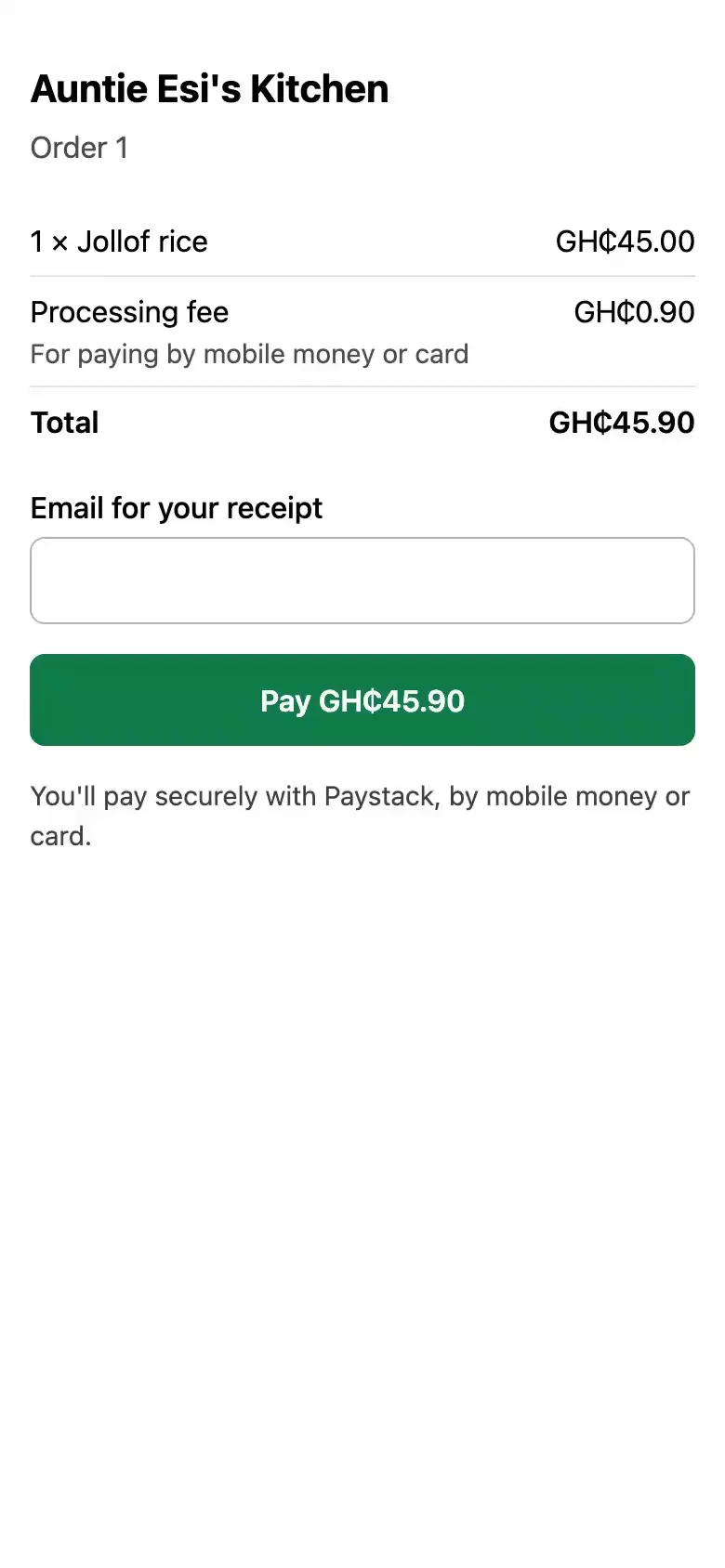
The link opens a page with your shop's name, the order and its total. The customer pays there; the checkout shows what they'll pay, the processing fee included, before they pay it.
- Mobile money or card
- The order, line by line
- One link, however they got it
- Still opens after it's paid
Your customer gets a receipt. Automatically.
As soon as Qovah confirms the money is in, the customer is sent what they bought: the lines as they confirmed them, any offers and taxes, delivery, the processing fee where it was passed on, how they paid and where the order is going. Your logo heads it once you've uploaded one.
- By email, to the address they gave
- In WhatsApp, where they ordered there
AUNTIE ESI'S KITCHEN
Order #21 · Pickup
1× Jollof rice105.00
1× Kelewele25.00
2× Beef khebab40.00
1× Sobolo (L)23.00
TOTALGH₵193.00
Mobile moneyConfirmed
Emailed the moment it was paid
Qovah takes none of your takings.
Qovah adds nothing to an online payment. The processing fee is Paystack's, who move the money, and you decide who carries it.
Your customer pays it, by default
It's added to what they pay at checkout, shown before they pay, so the full price of the order reaches you to the pesewa.
Or you can carry it
Turn it off in online order settings on either till, and the fee comes out of what settles to you instead. Paying at the counter always pays the plain total.
Refunds, with a PIN
Managers and owners refund all or part of a payment with their PIN. Paystack can take up to 10 business days to get it back to the customer.
More ways to be paid are on the way, and aren't out yet
See what's comingGetting paid, answered.
Start free for 14 days.
Take your first mobile money payment this week. Online payments come with every Cloud plan.